The expense and budget tracker that keeps your money on your phone
Costly tracks your spending, budgets, savings goals and debts without an account, a server or even internet access. Free and open source for Android.
Free APK from GitHub Releases, for 64-bit (arm64) Android phones.
See where your money goes
Everything you need to manage money
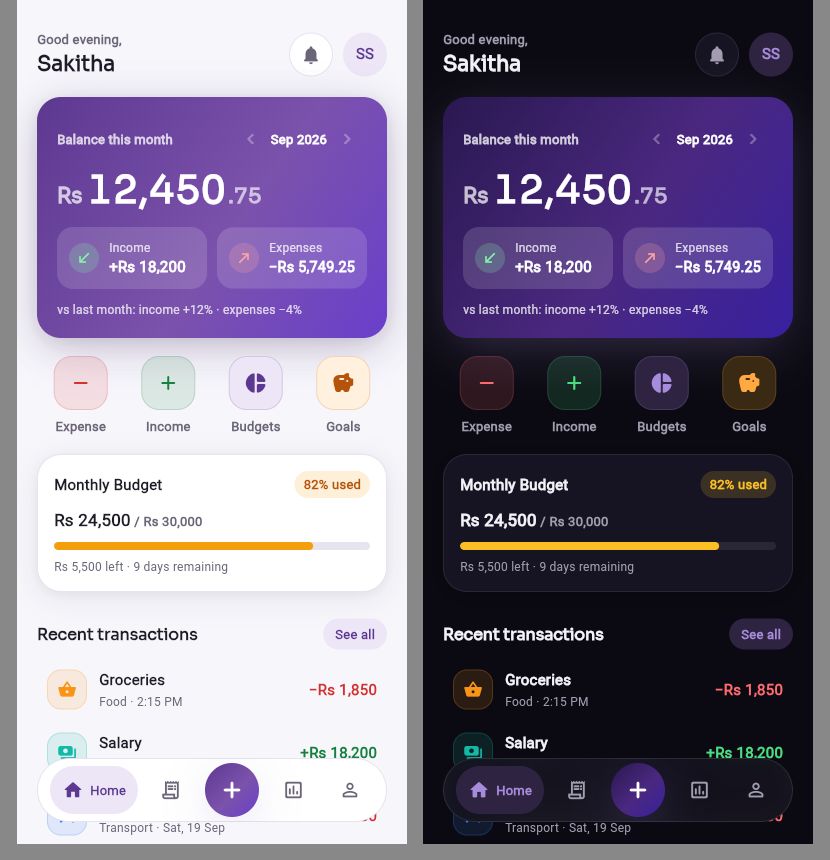
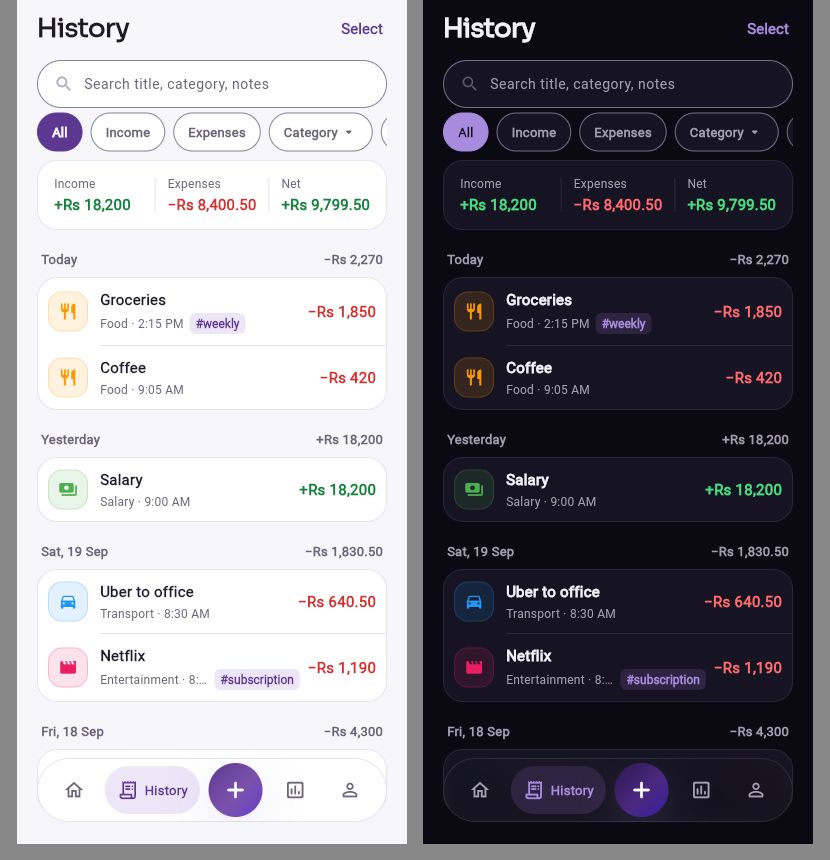
Fast expense tracking
A big keypad, your most-used categories first, tags, notes, receipt photos and split bills.
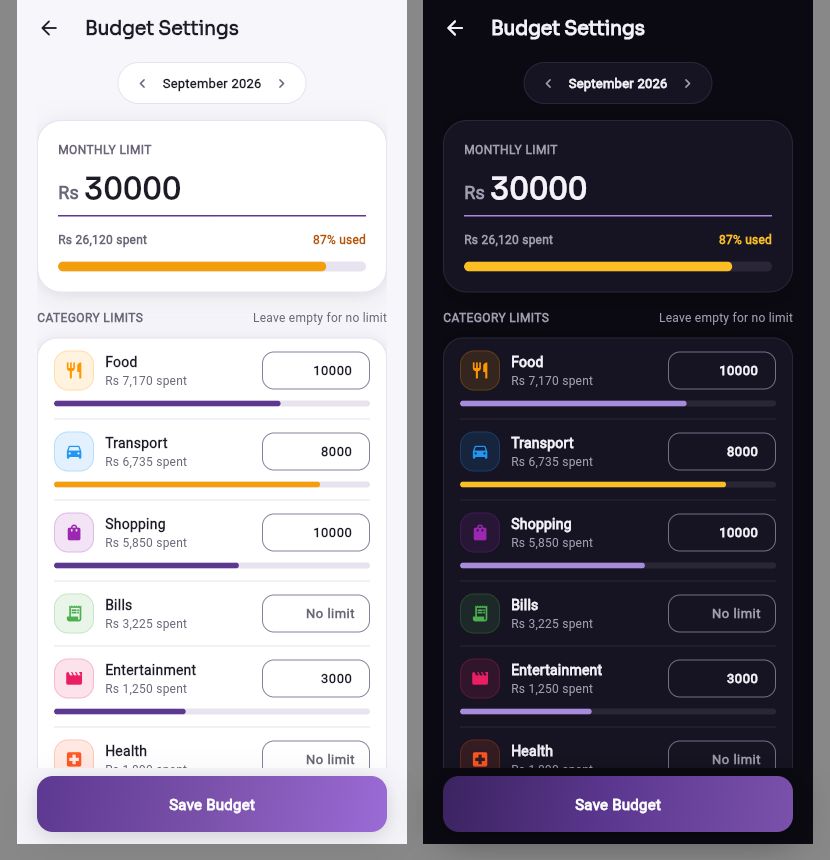
Budgets with alerts
An overall monthly budget plus category limits, with a warning at 80% and when you go over.
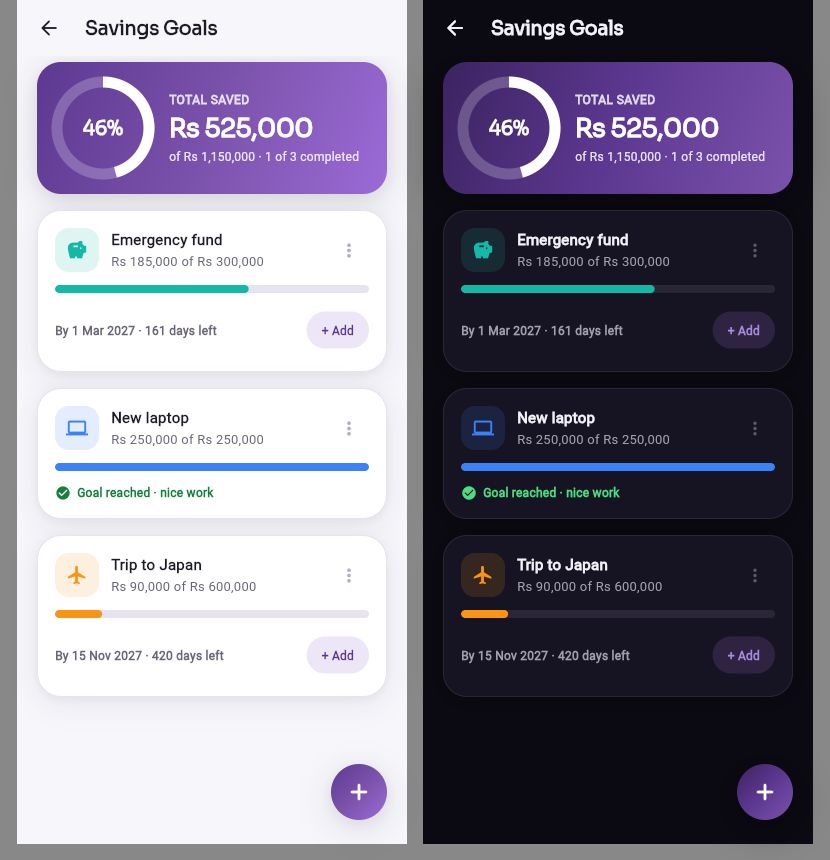
Savings goals
Set targets, add contributions and watch your progress.
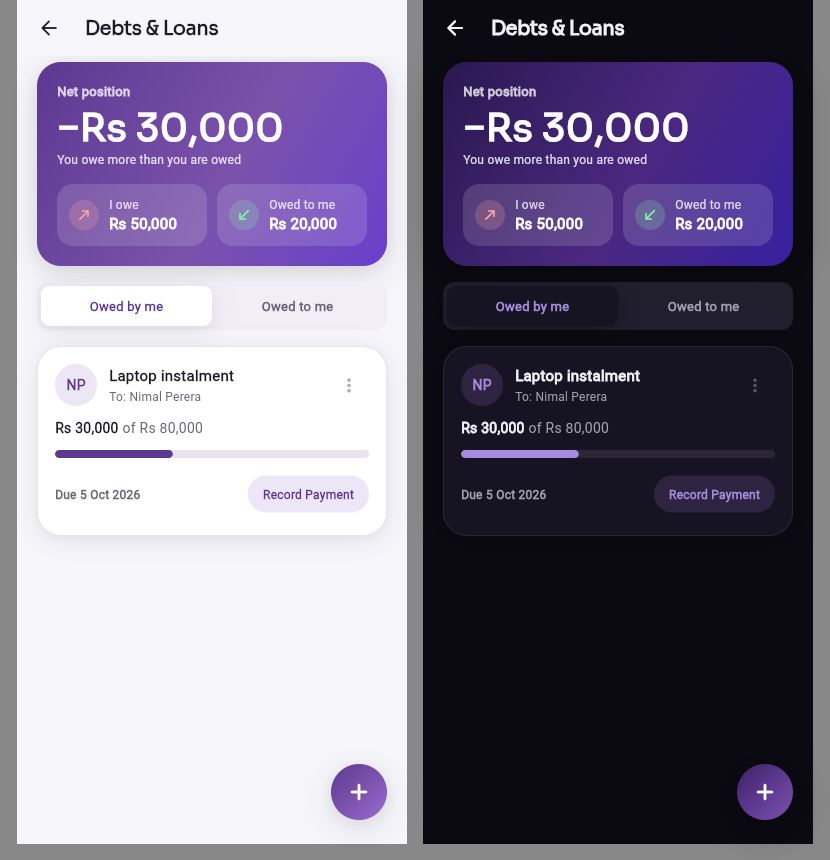
Debts and pay-later plans
Track money you owe and are owed, plus installment plans with reminders before each due date.
Recurring payments
Daily, weekly or monthly templates that book themselves when you open the app.
Wallets and transfers
Any number of wallets with their own balances, and transfers that don't count as spending.
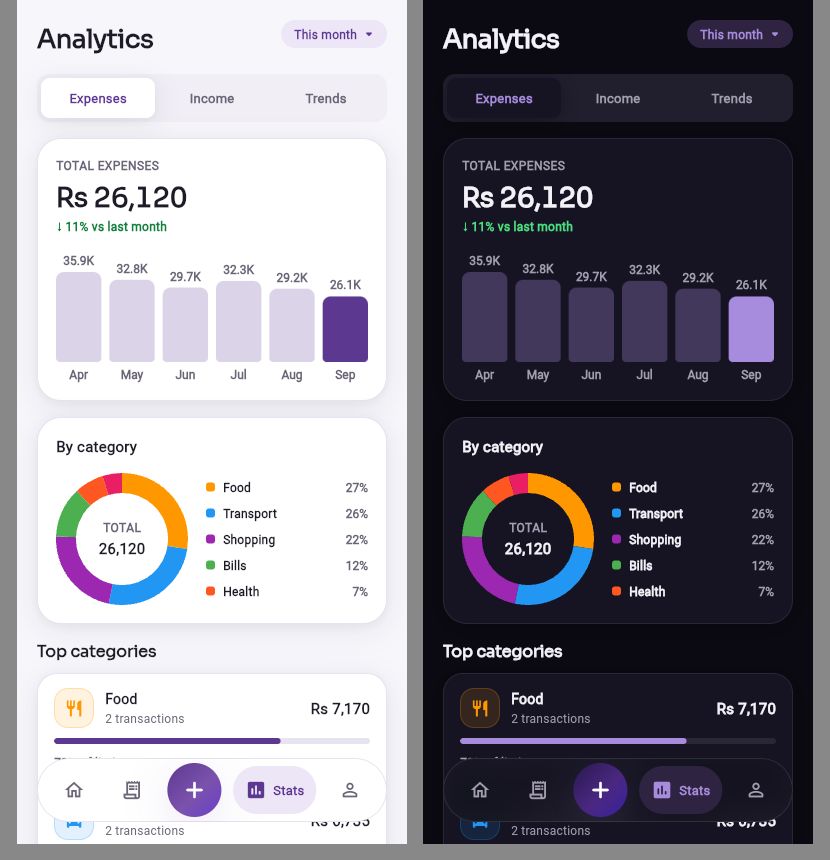
Analytics and PDF statements
Expense, income and trend charts, custom date ranges, and a PDF statement for any period.
Home-screen widget
This month's spend and your balance at a glance, with a + to add an expense.
Private by design
Costly has no accounts and no servers, so there's nothing to sign up for and nothing to leak.
- No internet permission: the app can't send your data anywhere.
- Records and receipt photos stay in the app's storage on your phone.
- Optional app lock with fingerprint, face or your screen lock, which also hides the app in Recents and blocks screenshots.
- Back up to one zip file you keep wherever you like, and restore it on a new phone.
Read the privacy policy or how to delete your data.
FAQ
What is Costly?
A free, open-source expense and budget tracker for Android. It records income and expenses, sets monthly budgets, tracks savings goals, debts and pay-later plans, books recurring payments and handles several wallets, all on your phone.
Does Costly need an account or the internet?
No. There are no accounts and no servers, and the app doesn't have Android's internet permission. Everything you enter, including receipt photos, stays on your phone.
How do I install Costly?
Download the Costly APK from the latest GitHub release and open it on an arm64 Android phone, allowing installs from your browser or file manager when Android asks.
How do I move my data to a new phone?
Profile → Your data → Back up saves everything to one zip file wherever you choose. On the new phone, pick Restore from a backup during setup.
Can I set budgets and get alerts?
Yes. Set an overall monthly limit and per-category limits. Costly warns you at 80% of the monthly budget and again when it's exceeded, and can send a daily reminder to log your spending.
Is Costly free?
Yes. It is open source under the MIT license, with no ads.